Features
Every feature. One workflow.
Each module solves a concrete problem and hands its work to the next step. That is how double data entry disappears from your business.
Comparison
What changes, step by step.
On the left, how a job runs when paper, email and scattered messages do the work, and what goes wrong there in practice. On the right, the same step in Solven. The home page sums that road up in seven steps; this is the same road, unfolded to where it actually changes state — including what happens after the invoice.
| Step | On paper and email | With Solven |
|---|---|---|
| Coming in | ||
| Request | A call, an email and a message arrive in three separate places. Goes wrong: A request on a note on one person’s desk is only missed when the customer calls to ask why nobody turned up. | One overview, with the customer, the work address, how urgent it is and whether anyone is assigned yet. |
| Scheduling the survey | Calling back and forth about a slot that suits both sides. Goes wrong: Nobody home on arrival: the drive is done, the hour is gone and the appointment has to be made again. | The survey gets a date and a contractor. If the appointment moves, the customer is told — the same message from the planning board and from dispatch. |
| Survey on site | Measurements and type numbers on a notepad, photos in the camera roll. Goes wrong: What was not written down surfaces on the day of the job — and the technician is there with the wrong materials. | A form with the questions of the trade itself — fourteen trades have their own set — and a photo requirement the office sets per survey. |
| Offering | ||
| Quote | The survey gets re-typed into Word or Excel that evening. Goes wrong: The quote sits until the survey is no longer fresh, and what was discussed on site becomes a memory. | What the survey produced can carry over as a quote line. Labour and materials per line, with quantity, unit price and VAT. |
| At the customer | Sent as an attachment, and then you wait. Goes wrong: You chase a quote the customer has not even opened — or that has long been sitting with someone else. | The quote sits behind a link of its own. You see when it was opened, and when it expires. |
| Approval or rejection | A yes in an email or over the phone. Goes wrong: In a disagreement it is your word against the customer’s, and the extra work cannot be substantiated. | The customer signs digitally or rejects with a reason. What they saw and when they signed is in the audit log. |
| Doing the work | ||
| Scheduling | A whiteboard or a spreadsheet tab, and separate messages for the crew you hire in. Goes wrong: Two jobs on the same technician at the same moment; a customer gets cancelled on the morning itself. | One overview for both, with the contractor next to the job and monitoring for double-booking. |
| On the way | The office calls the technician to ask where they are. Goes wrong: The office cannot tell the customer whether anyone is still coming, while they kept half a day free for it. | The work order is set to on the way. The office sees the run is under way without calling to find out. |
| On the job | A paper docket, filled in between jobs. Goes wrong: Hours and materials get reconstructed from memory that evening, and rounded down when in doubt. | Hours, materials, photos and extra work on the phone. Offline too; it travels as soon as there is a connection again. |
| Handover | A scribble on the docket, if there is anyone there to sign. Goes wrong: If nobody is there, nothing happens — and afterwards the argument is about whether it was handed over as agreed. | A signature on site. If nobody is there, the office records why it was not signed, with a name and a timestamp. |
| Check at the office | The docket gets re-typed; what is illegible gets guessed at. Goes wrong: Extra work nobody wrote down does not reach the invoice. That is work done and not paid for. | The work order goes to checked first. That is the step the invoice comes out of, and without it there is no invoice. |
| Money | ||
| Invoice | The invoice goes out when there is time for it. Goes wrong: The later the invoice, the later the money — and the more often the customer first wants to know where the amount comes from. | Ready the moment the work order is checked, from the hours booked and the materials used — not from the estimate in the quote. |
| Payment | The bank account and a list someone keeps. Goes wrong: An invoice that falls due without anyone seeing it; chasing starts once it is noticed. | Per invoice the total, what has been paid, part payments and the due date, with reminders that go out on their own. |
| Expenses | Receipts in the glovebox until the tax return. Goes wrong: A receipt that fades or goes missing is a cost that can no longer be substantiated. | The technician photographs the receipt, the office approves or rejects, and what is approved goes into the export. |
| Paying the crew you hired | Their invoice arrives separately and gets put next to the job. Goes wrong: It gets paid without anyone laying it next to what was actually done on that job. | Their invoice hangs off their own jobs. The office reviews it there, and pays out in a batch. |
| What comes after | ||
| The installation’s file | What was replaced last year sits in the head of the technician who was there. Goes wrong: That technician has moved on, and the next one starts from scratch on the installation. | Per installation at the customer a logbook that only grows: what changed, when, and by whom. |
| Recurring work | A note in the diary, or nothing at all. Goes wrong: Maintenance that skips a round is noticed only when the breakdown that follows from it arrives. | Maintenance contracts and recurring work orders land on the schedule by themselves. |
| Invoicing a contract | Raising the same invoice again every month or quarter, from a list or from memory. Goes wrong: A period that gets skipped goes unnoticed: no job is missing, only revenue that was not invoiced. | The contract is recorded once — monthly, quarterly or yearly — and the draft invoice is waiting every period; a skipped period and an expired contract are flagged. |
The left column describes working with paper, email and WhatsApp side by side — not another product. The right column describes what is in the product; what is not in it is not listed here.
The chain
From request to invoice
What starts at the customer and what has to travel with it, in the order the work happens.
CRM & customer management
Without Solven: Customer information scattered across email, spreadsheets and people’s heads.
One customer record with sites, contacts, documents, notes and the full history from quotes to invoices.
- Multiple sites per customer
- Documents & notes in one place
- Timeline of every interaction
Survey & quotes
Surveys on paper, quotes that sit for days.
Digital surveys with photos and checklists, quotes from templates and digital approval by the customer via the portal.
- Quote templates
- Digital signature
- Automatic follow-up on open quotes
Scheduling & dispatch
Scheduling in a spreadsheet or on a whiteboard, with no overview.
A planning board with capacity, availability and conflict monitoring; unscheduled jobs land in the backlog automatically.
- Drag & schedule per technician
- Capacity & conflict monitoring
- Recurring work orders
Technician app
Paper dockets that get lost and have to be re-typed in the evening.
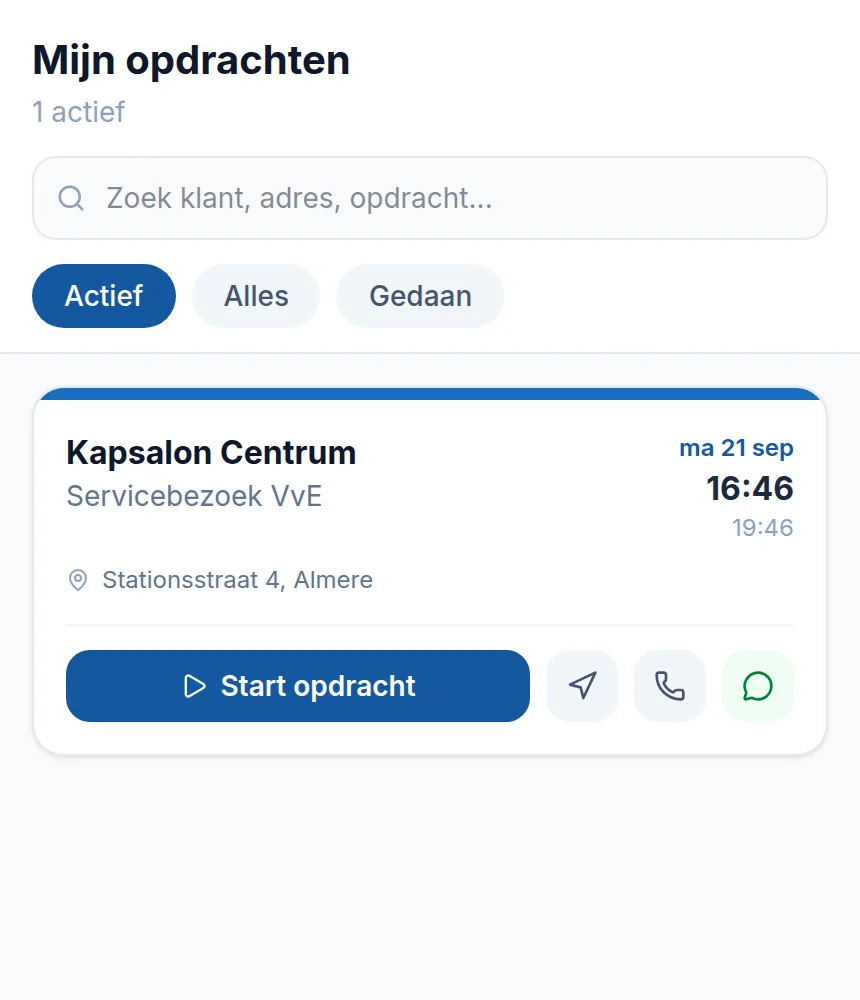
The technician sees their daily schedule, clocks hours, logs materials, takes photos and has the customer sign digitally, offline too.
- Keep working offline
- Photo requirements per job type
- Signature on site or a logged exception
Invoicing & cash flow
Invoices that go out weeks after the job.
After the work order is approved, the draft invoice is ready automatically: hours, materials, a payment link and automatic reminders.
- Automatic invoice after approval
- Payment links & reminders
- Accounting sync (Exact & Moneybird)

Money and customer
Getting paid without chasing
What happens after delivery, and what the customer can see and approve themselves.
Contracts & recurring revenue
Without Solven: Maintenance contracts and retainers someone has to remember and invoice by hand.
Record the contract once — monthly, quarterly or yearly, optionally tied to a single site — and the draft invoice is waiting every period. Pause it during a closure; on renewal the agreed indexation is applied for you.
- Monthly, quarterly or yearly billing per contract
- Pause during closure, index on renewal
- Alerts for a missed period or an expired contract
Automatic collection with Solven Pay
Chasing your money and endlessly resending payment links.
Customers give a one-off SEPA mandate; after that Solven collects outstanding invoices automatically on the due date, straight into your own account via your connected Mollie account.
- One-off mandate, then automatic
- Money into your own account (Mollie Connect)
- Transparent fee: 0.5% + €0.25 per collection
Steering
What sits on top
Figures, stock, templates and the assistant: parts that lean on the chain rather than sit inside it.
Customer portal
Without Solven: Endless emailing about status, approval and documents.
Customers view quotes, approve digitally or reject with a reason, and follow their request in a secure portal.
- Digital approval with audit trail
- Request a fresh access link themselves
- All documents in one place
AI assistant
Plenty of data, but no time to do anything with it.
Ask questions in plain language, have text and summaries written, and receive daily signals about things that need attention.
- Questions about your own business data
- Daily signalling
- Text suggestions for quotes and emails
Reporting & Business Intelligence
Steering on gut feel because the numbers are buried.
Dashboards for revenue, margin, utilisation and performance per technician, plus exports for your accountant.
- Executive dashboard
- Margin & revenue analysis
- Performance per technician
Materials & stock
Material usage that gets recorded nowhere.
Materials management with prices, usage per work order and automatic pass-through onto the invoice.
- Materials catalogue
- Usage per job
- Automatically on the invoice

Further
What goes with this
The chain above works the same for your own technicians and for hired crews. What differs per trade is the questions on the survey and the fields on the work order.
Subcontractors
Working with subcontractors and freelancers
An account of their own per contractor, an assignment confirmation per job and a file that grows with it. The separate page also sets out what Dutch legislation on hiring and chain liability says about it.
Getting started
See whether this fits the way you work
In a demo we walk through your own chain, from site survey to invoice, including the part you subcontract. Prefer to look around yourself? We will set up a trial environment.
The trial runs to a fixed end date. After that you pick a plan or it stops.